
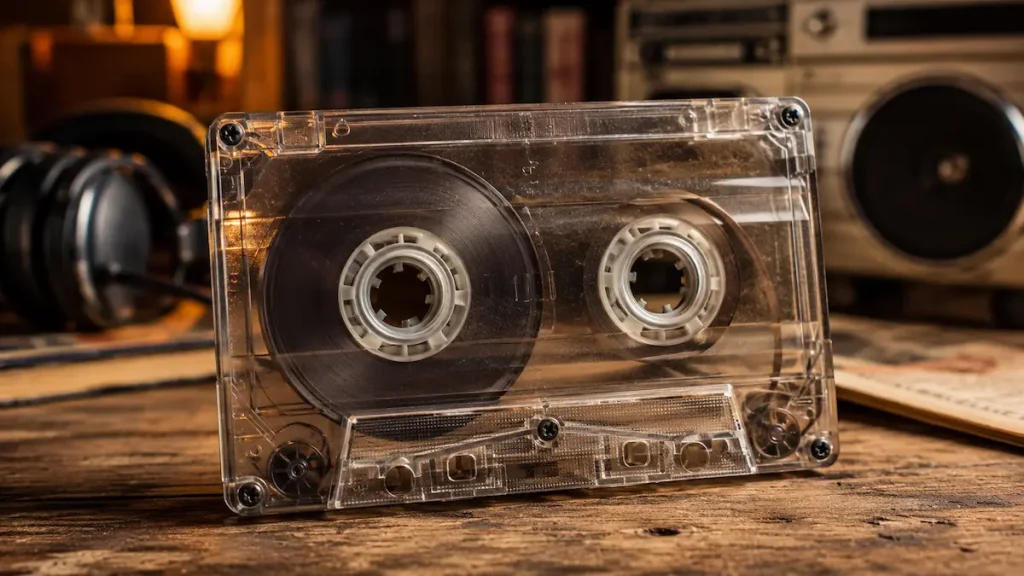
Cassette tapes had a few details that were impossible to ignore: two visible reels, a Side A and Side B, and a paper insert that often became a handwritten tracklist. A cassette marked C90 could hold roughly 45 minutes of audio on each side, but what filled those minutes depended entirely on the person using it.
It might have been a purchased album, a compilation recorded from the radio, a collection of children's stories, or a language course. In some homes, the same kind of magnetic tape was used to store computer programs and games.
That versatility helps explain why cassettes remained part of everyday life for so long. They were portable, recordable, and relatively affordable, although using them came with inconveniences that digital music listeners rarely encounter.
To understand what made the cassette era distinctive, it is worth looking beyond the music itself: at the players, the recording process, the computers that relied on tape, and the small maintenance tricks that kept everything working.
What Could You Actually Do with a Cassette Tape?
The compact cassette was designed around a straightforward idea: magnetic tape enclosed in a small plastic shell. Two reels moved the tape past the playback or recording head, allowing sound to be recorded and reproduced.
Unlike a vinyl record, a cassette did not require a large player. It could be used in a bedroom stereo, a portable recorder, or a car dashboard. Blank tapes also made it possible to create recordings at home without specialised studio equipment.
The familiar C60 and C90 labels indicated nominal recording times of 60 and 90 minutes in total. That meant approximately 30 or 45 minutes per side. A longer album might not fit neatly, so recording often involved deciding which tracks belonged on each side.
Finding a particular song was less convenient. Unless a player had a reliable track-search feature, you had to fast-forward, stop, listen briefly, and adjust the position until you found the right moment.
These limitations shaped how people used their collections. Album order mattered, handwritten tracklists were useful, and the cassette case was more than just packaging.
Taking Music Outside: The Walkman and Portable Cassette Players
The arrival of portable cassette players changed where people could listen to recorded music. A home stereo usually stayed in one room. A portable player could travel in a bag, fit into a coat pocket, or clip onto a belt.
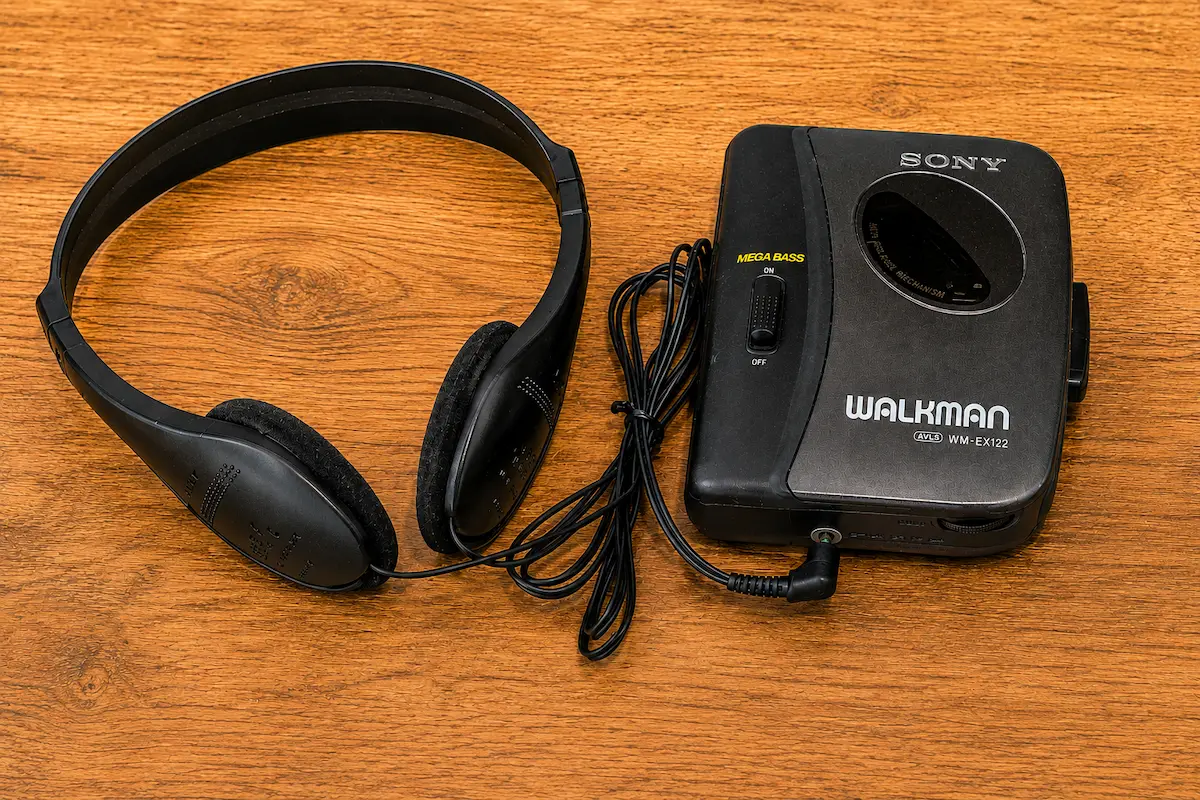
Sony's Walkman became the best-known name associated with portable cassette listening. The brand was so widely recognised that people sometimes used the word Walkman to describe similar devices made by other manufacturers.
Operating a typical player required little explanation. Open the cassette compartment, insert the tape, connect the headphones, close the cover, and press PLAY. Some models had mechanical controls, while later devices offered features such as automatic reverse playback or track searching.
Batteries and the Limits of Portable Music
Battery life was something users had to consider. Many portable players relied on replaceable batteries, and older mechanical designs needed enough power to move the tape at a consistent speed.
When batteries became weak, some players slowed down, making songs sound lower in pitch. Fast-forwarding and rewinding also consumed power, which explains why a pencil sometimes became an improvised accessory for manually turning a cassette reel.
Headphones were another familiar part of the equipment. Lightweight models with thin metal headbands and foam ear pads were common. The foam could wear out, and damaged cables occasionally caused sound to disappear from one ear.
Despite these drawbacks, portable cassette players provided something valuable: control over what you listened to away from home, without depending on a radio station's schedule.
When a Cassette Tape Was a Computer Game
Music was only one use for magnetic tape. Home computers also used cassettes to store and load software, especially in markets where cassette-based systems offered a more affordable alternative to disk drives.
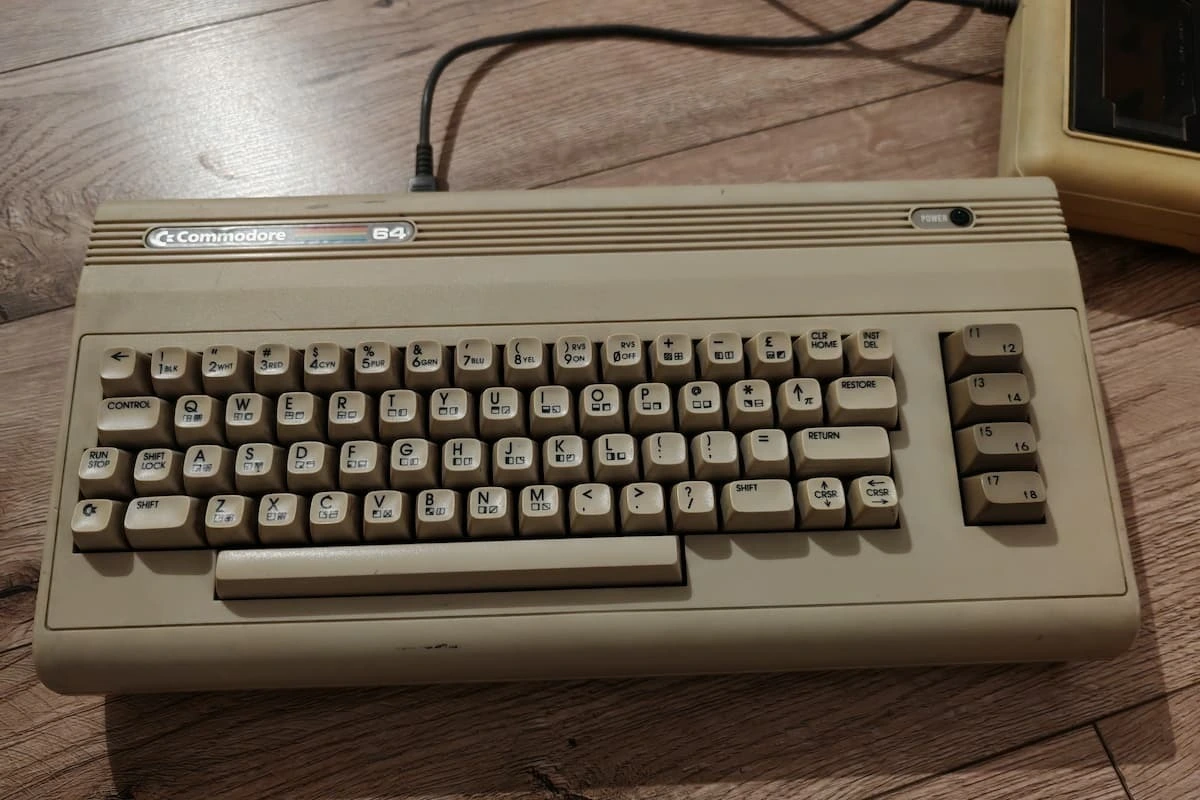
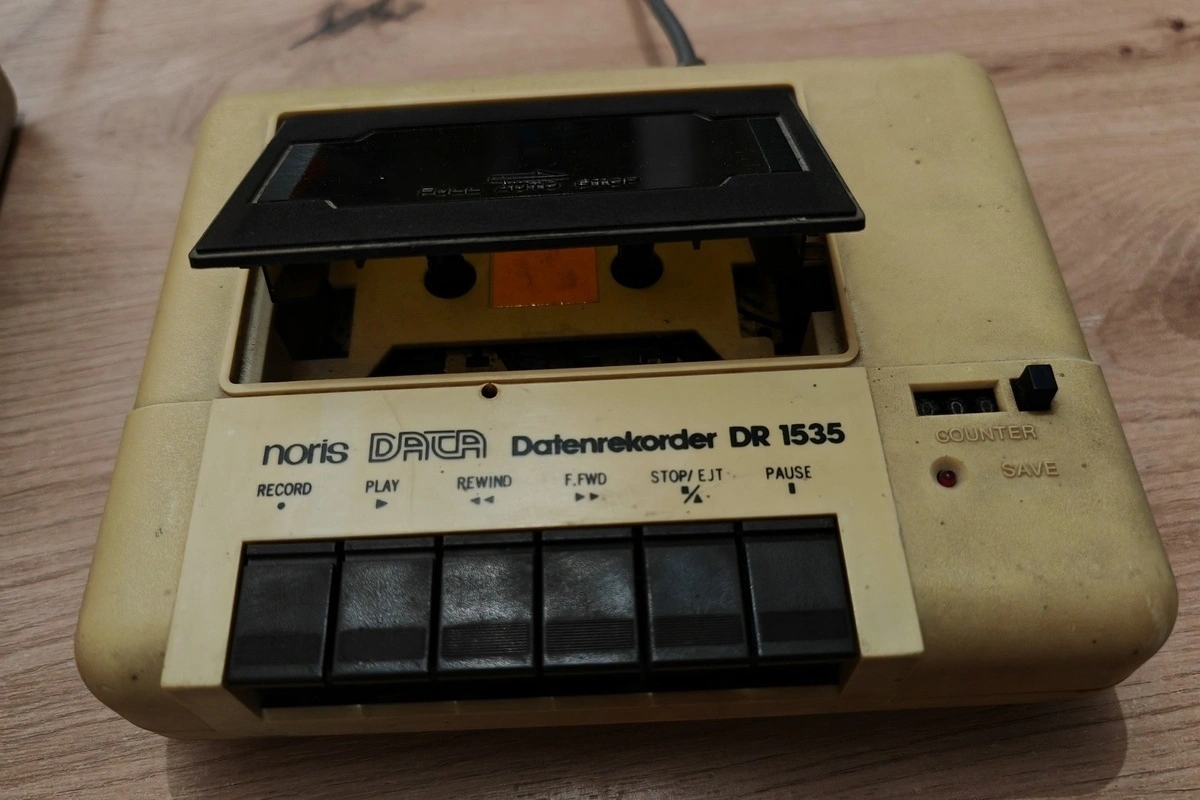
The Commodore 64 is a well-known example. Its cassette storage device, the Commodore Datasette, looked similar to a compact tape recorder but was designed to handle digital data.
For many owners, a cassette was the starting point for playing a game. Instead of inserting a disk or opening a downloaded file, they had to load the program from tape into the computer's memory.
LOAD and PRESS PLAY ON TAPE
One common loading procedure began by entering LOAD and pressing RETURN. The Commodore 64 then displayed the instruction PRESS PLAY ON TAPE.
After pressing PLAY on the Datasette, the computer searched the tape for the requested program. A successful search produced a message identifying the program, followed by loading. Depending on the software and loading method, additional input might be required before it could run.
The original Commodore 64 documentation describes this procedure, including the LOAD command, the tape prompts, and the process of starting a loaded BASIC program with RUN. The instructions can still be consulted in a preserved copy of the Commodore 64 User's Guide.
Loading could take several minutes. Some games used faster loading systems, often accompanied by distinctive screen displays, but the underlying process still depended on reading data from magnetic tape.
A failed load was frustrating because it meant another attempt. The cassette might need rewinding, the recording could be damaged, or the Datasette itself might require attention. An incorrectly adjusted reading head could also cause problems with certain recordings.
The introduction and wider adoption of floppy disk drives changed this process considerably. Disks offered different ways to locate files and load programs, removing the need to search through long stretches of tape.
If you are interested in the next stage of home computing, our article about installing software from floppy disks looks at another period when using a computer involved more hands-on preparation.
Making a Mixtape Was a Recording Project
One of the cassette's most useful features was the ability to create a personal recording. A blank tape could hold favourite songs from several albums, tracks copied from another cassette, or music captured directly from the radio.
The process required some planning. A C60 offered about half an hour per side, so choosing a tracklist meant considering both the order of songs and their running times.
On the paper insert, people could write down the tracks, the artists, or simply a title for the compilation. Some inserts were carefully organised; others accumulated corrections as the cassette was reused.
Recording Songs from the Radio
For radio recordings, timing was important. On many cassette recorders, pressing REC and PLAY together started recording. If the desired song began unexpectedly, the opening seconds could be lost while the listener reached for the controls.
Radio presenters sometimes spoke over the introduction or the ending of a song. The finished recording could therefore include part of a station announcement, an incomplete track, or a pause between programmes.
These limitations did not make the cassette unusable. They simply affected what the final compilation contained. A recording could be played again, replaced, or kept until a better version became available.
Copying Music with a Dual Cassette Deck
Home stereos with two cassette compartments made copying recordings easier. One deck played the source tape while the other recorded onto a blank cassette.
At normal speed, copying required the same amount of time as the recording itself. Some decks included high-speed dubbing, although copying at higher speeds did not necessarily preserve the best sound quality.
Analogue copying also had a technical disadvantage. Each new generation of recording could introduce additional hiss, distortion, or other losses. A copy made from an already poor recording could sound noticeably worse.
When recordable CDs became widely available, music collections gradually moved to a different medium. Our article about burning music CDs in the 2000s explores how making personal compilations changed with home computers and CD writers.
Cassette Tapes in Cars, Classrooms, and Children's Bedrooms
The cassette's usefulness extended well beyond personal music collections. Car stereos were one of its most practical applications, allowing drivers and passengers to choose recordings rather than rely entirely on radio broadcasts.
A small collection could be stored in a glove compartment or a purpose-made cassette case. If the player lacked an auto-reverse function, someone had to turn the tape over when Side A finished.
Heat was an occasional problem. Leaving tapes inside a parked car during hot weather was not ideal for either the cassette shell or the magnetic recording. A dirty or poorly maintained car player could also damage the tape.
At home, cassettes were equally useful for spoken-word recordings. Children's stories, dramatised books, sing-along collections, and bedtime recordings could be played repeatedly without waiting for a scheduled broadcast.
Language courses were another important application. Students could pause a lesson, repeat a pronunciation exercise, or rewind a dialogue until they understood it. Some courses combined printed workbooks with matching audio cassettes.
The same cassette recorder might therefore be used for music in the morning, a language lesson in the afternoon, and a children's story later in the day.
Why Did Cassette Players Sometimes Eat Tapes?
The expression "eating a tape" described a common mechanical problem. Instead of moving smoothly between the reels, part of the magnetic tape could become caught inside the player's mechanism.
Old or deteriorated rubber components, dirt, and mechanical faults could interfere with normal tape movement. When the tape stopped winding correctly, loose material sometimes gathered around the capstan or other moving parts.
If this happened, pulling the cassette out forcefully could make the damage worse. The safer approach was to stop the player and carefully assess how much tape had become trapped.
The Pencil Trick
A pencil could be useful when a cassette had a small amount of loose tape outside its shell. By inserting a suitably shaped pencil into one of the reel hubs and turning it carefully, the slack could be wound back inside.
The same method could turn a reel manually without using the player's batteries. It was a simple workaround, though not a substitute for repairing a faulty cassette mechanism.
What Were the Small Tabs on the Back For?
Standard audio cassettes included small plastic tabs that helped prevent accidental recording over existing material.
Removing the appropriate tab allowed compatible recorders to detect that a particular side was write-protected. Covering the opening with adhesive tape could make recording possible again on many machines.
It was a small mechanical feature with a useful purpose: protecting a valued recording from being erased by mistake.
Found Some Old Cassette Tapes? Check These Things First
Discovering a box of old cassettes can be exciting, especially if the recordings are no longer available elsewhere. But playing them immediately on an untested machine is not always a good idea.
Before inserting a valuable cassette into a player, consider the following checks:
- Inspect the cassette shell. Look for cracks, loose screws, damaged reels, or tape that has been pulled outside the housing.
- Check the visible tape. If it appears badly creased, contaminated, or affected by mould, avoid playing it until its condition can be assessed properly.
- Test the cassette player first. Use a recording that is not valuable to confirm that playback, stopping, and rewinding work correctly.
- Keep the equipment clean. The tape path and playback head should be maintained according to the manufacturer's instructions.
- Store cassettes in their cases. Keep them upright in a clean, stable environment, away from excessive heat, moisture, and strong magnetic fields.
The Library of Congress guidance on caring for audiovisual materials provides further information about handling, storing, and maintaining magnetic tape collections.
For recordings containing unique family conversations, personal messages, or other irreplaceable material, preservation deserves particular attention. Repeated playback on unreliable equipment increases the risk of losing something that cannot be recorded again.
How to Convert Cassette Recordings to Digital Audio
Digitising an old cassette allows its contents to be stored and listened to without repeatedly using the original tape. This can be especially useful for personal recordings, spoken-word material, or music that is difficult to replace.
The basic process involves playing the cassette on a functioning machine and recording its analogue audio output with a computer or another suitable digital recording device.
A Simple Digital Transfer Setup
- Use a reliable cassette player. Choose a machine that maintains a steady playback speed and does not damage the tape.
- Connect the audio output. If the deck provides a line-level output, connect it to a suitable audio interface or recorder. A headphone output may also be usable with appropriate equipment and level adjustment.
- Record the playback. Capture the audio in real time using recording software, making sure the input level is not so high that it causes clipping.
- Save a high-quality master copy. An uncompressed WAV file is a practical choice for preserving the original transfer. Additional copies can be made in formats such as MP3 for everyday listening.
- Check the recording. Listen for missing sections, unwanted distortion, channel imbalance, and problems caused by the cassette player.
Some modern cassette players advertise USB conversion features. These can be convenient, but the presence of a USB connector does not guarantee accurate playback speed or good sound quality.
For recordings that are severely damaged, contaminated, or historically valuable, professional audio-transfer services may be a safer choice than experimenting with an ageing home cassette player.
What Old Hardware Labels Can Tell Us
Collectors and retro computer enthusiasts often look beyond the front of an old device. Model labels, serial numbers, connection ports, and manufacturing markings can help identify equipment and locate the correct documentation.
That can be particularly useful for cassette-based computer hardware, where compatibility and the condition of the playback mechanism matter.
The photograph below shows a label on the underside of a cassette data recorder associated with Commodore computers.
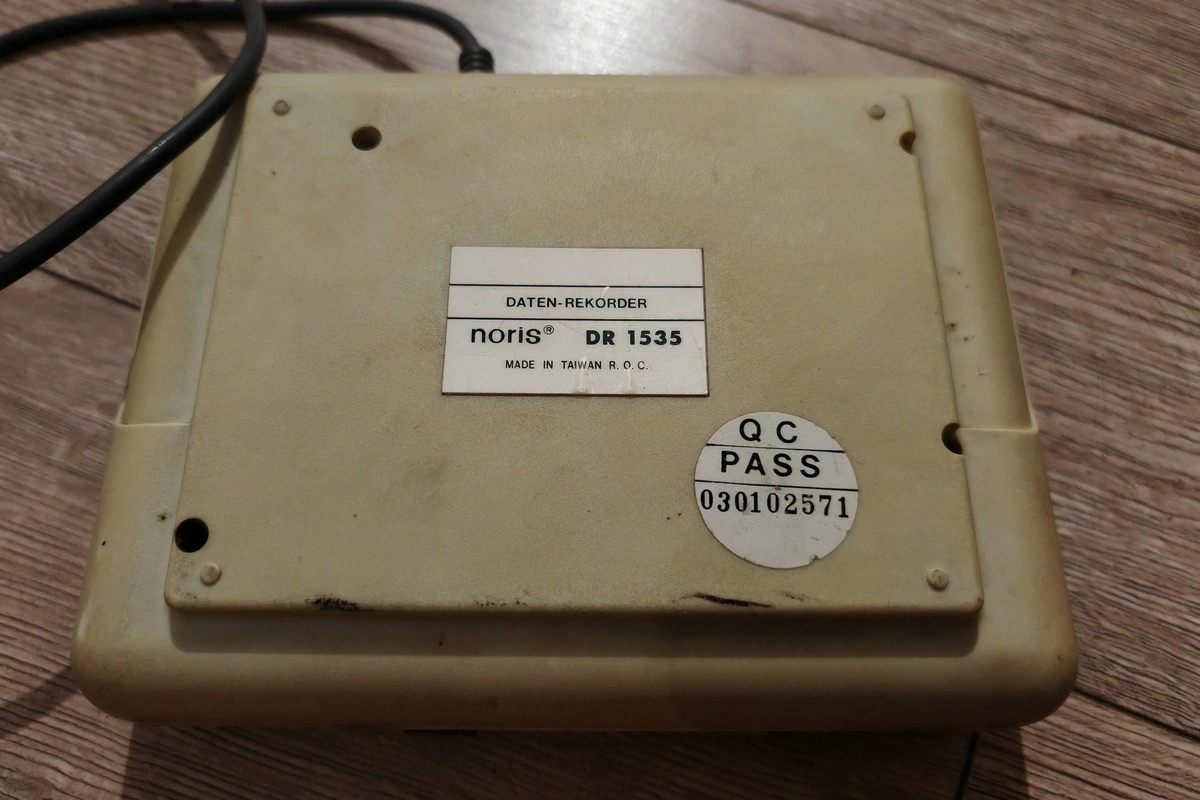
These markings can provide information about the device's identity and help when researching compatible computers, replacement parts, or service instructions.
The computer itself may have equally useful identifying details. Different models and revisions can sometimes be distinguished by their original labels and external features.
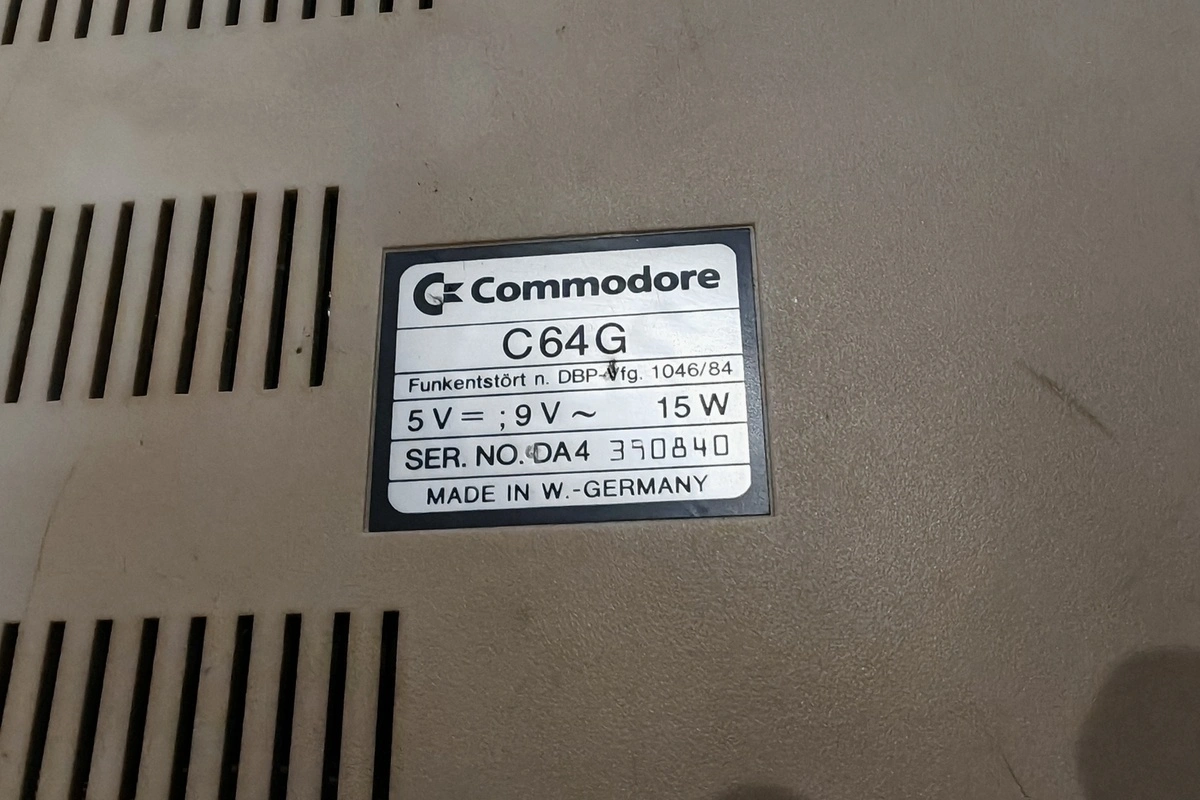
On a preserved computer or cassette recorder, a seemingly ordinary sticker may be the most useful starting point for finding accurate technical information.
Why Cassette Tapes Are Still Worth Remembering
A compact cassette could hold a complete album, a radio recording, a language lesson, or computer software. Its purpose changed depending on the equipment connected to it, even though the cassette itself looked much the same.
Modern digital formats make nearly all of those activities easier. Finding a song no longer requires fast-forwarding through a recording, making a copy does not have to take an entire afternoon, and loading a computer game rarely involves waiting for magnetic tape to pass through a mechanical drive.
Yet an old cassette can still reveal something about how its owner used it. A handwritten tracklist, a repaired case, a numbered label, or a worn paper insert may provide clues that are absent from a digital music file.
Those small details make cassette tapes worth examining as more than obsolete entertainment equipment. They belong to the history of recorded music, home computing, portable electronics, and the ways people learned and shared information.
Do you still have cassette tapes, a portable Walkman, or a Commodore Datasette? What do you remember most clearly: making mixtapes, rewinding with a pencil, or waiting for a game to load? Share your memories in the comments.